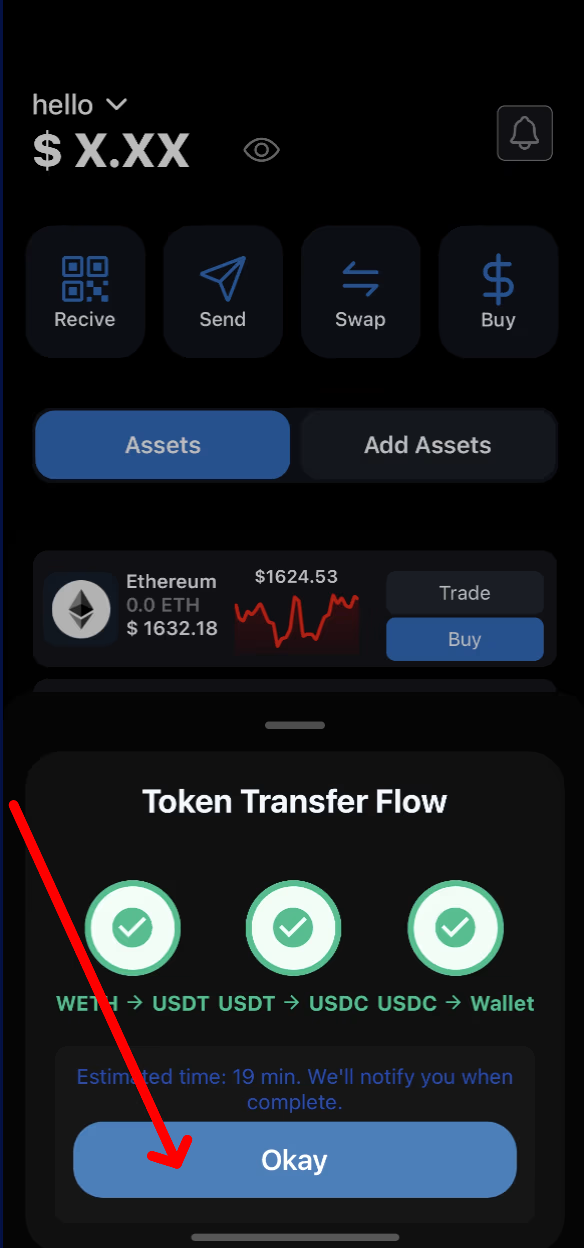
SwiftEx offers a smooth trading experience, enabling you to exchange your crypto assets with just a few taps. Whether you're swapping stablecoins or trading across chains, it's quick, secure, and intuitive.
Note: Before you begin, please ensure your Trade Wallet is activated to access trading functionality.
-
Activate the Trade Wallet
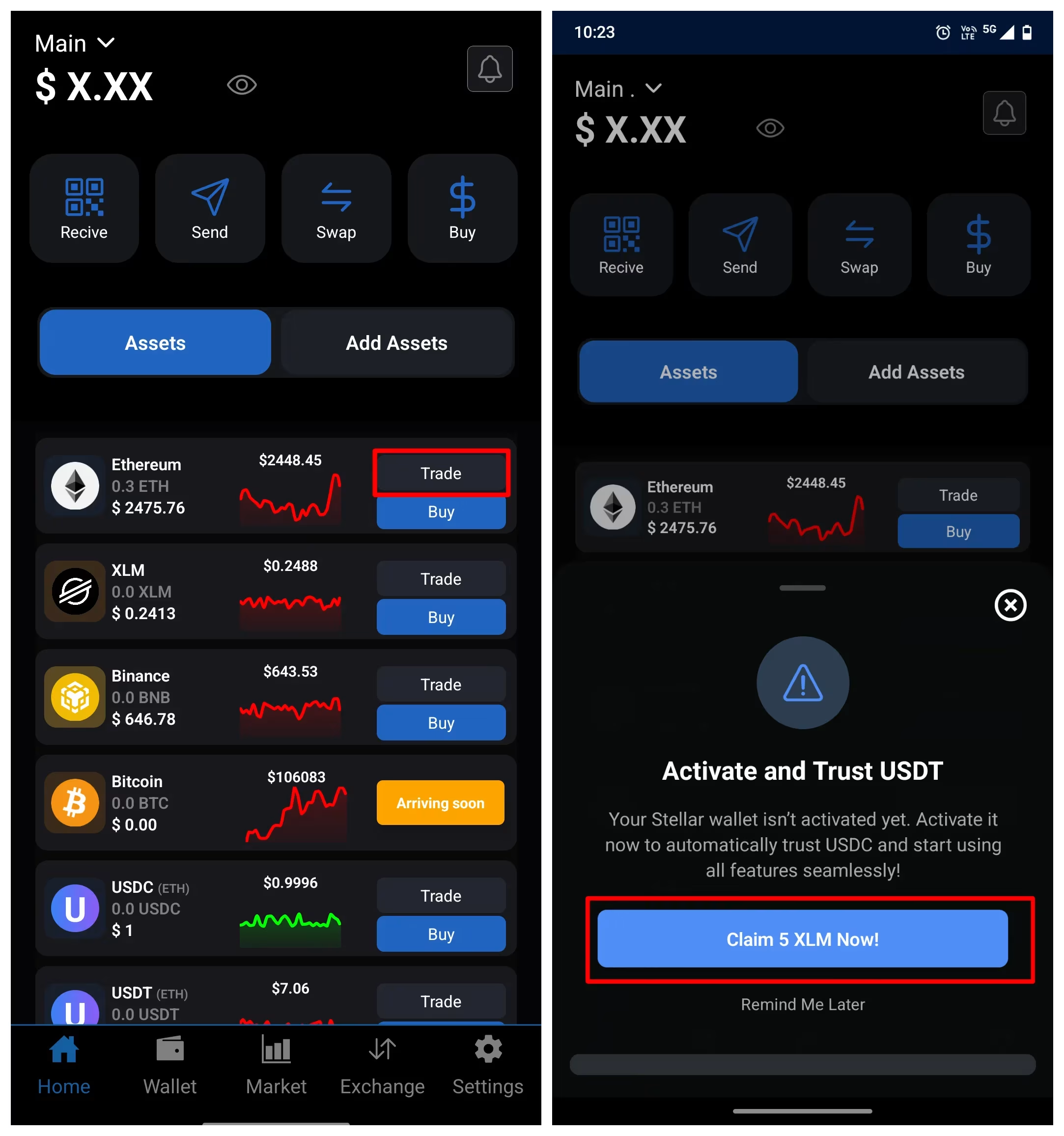
To begin trading on SwiftEx: Go to the home tab. Select the asset you’d like to trade. Tap ‘Trade’. Follow the prompts to activate your Trade Wallet, if it hasn’t been enabled already. Activation is a one-time process and ensures your wallet is ready to handle real-time trading transactions securely.
-
Initiate a Trade
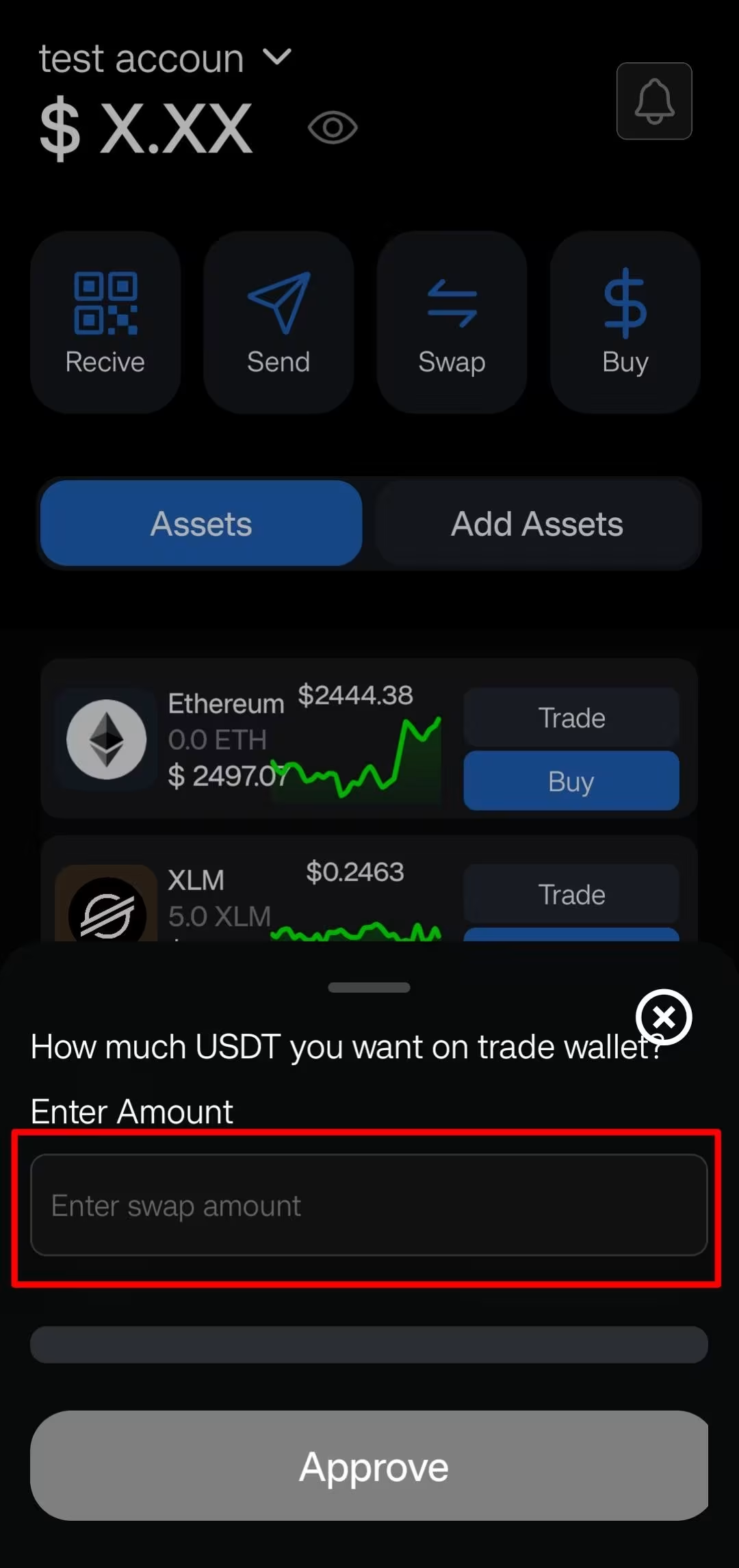
From the selected token screen, tap the ‘Trade’ button. Choose the token you want to receive in exchange. Enter the amount of the token you'd like to trade. SwiftEx will automatically fetch the best market routes and prices from supported liquidity providers.
-
Review Quotes
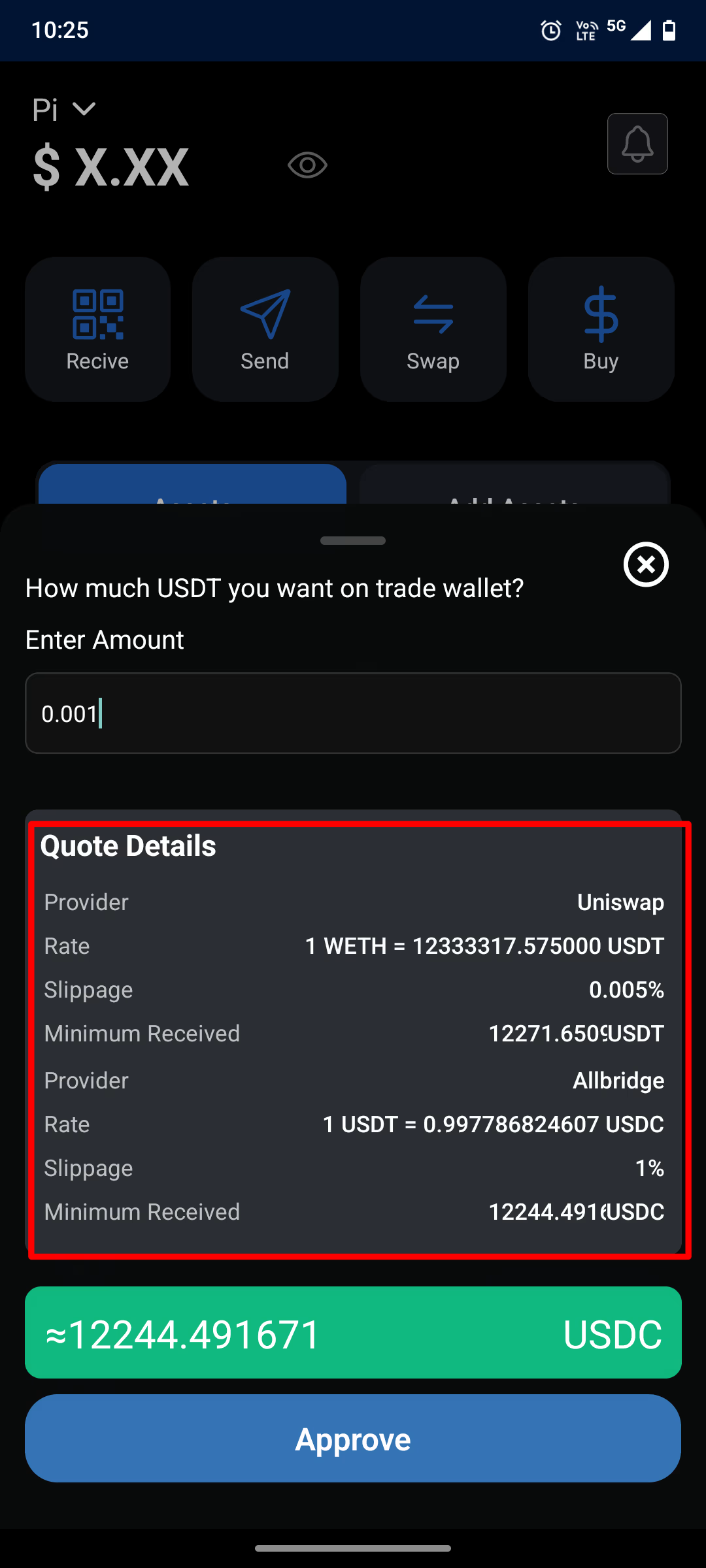
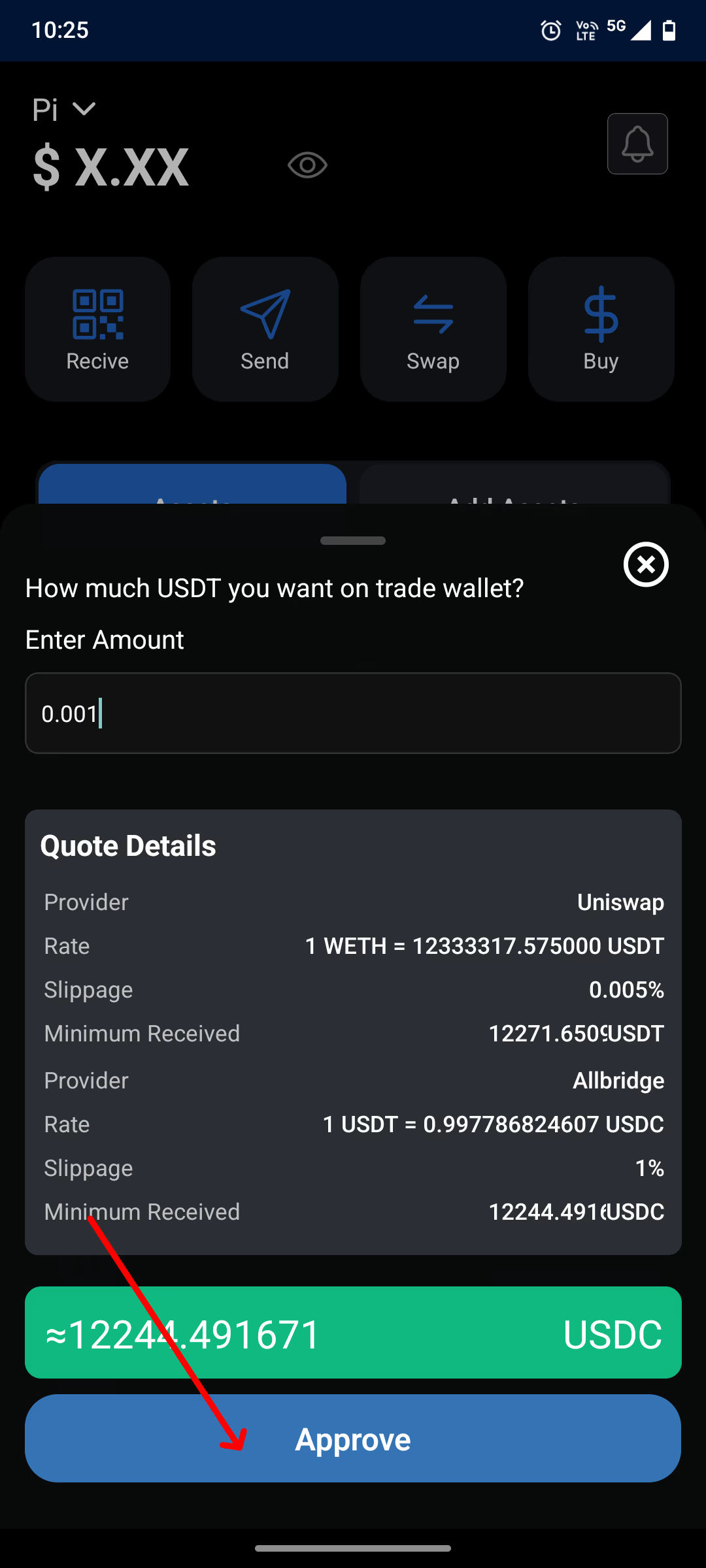
After entering the trade amount, you’ll be presented with real-time quotes sourced from multiple decentralized and cross-chain liquidity providers. Quotes are displayed in order of value and speed to help you make the most efficient decision. Always double-check the exchange rate and estimated fees before proceeding.
-
Approve the Trade
Once satisfied with the quote, tap the ‘Approve’ button to confirm the trade. You may be asked to confirm the transaction via PIN, biometric ID, or an additional approval method depending on your wallet security settings. All transactions are secured on-chain and visible via blockchain explorers after execution.
-
Get Confirmation
Once your trade is executed, you’ll receive an in-app confirmation and push notification. You can view the updated balance in your Home tab and check the transaction history under the ‘Activity’ section.